
A fast, responsive and visually stable website is no longer just a technical advantage. Core Web Vitals SEO helps businesses understand and improve three important aspects of real-world website experience: loading performance, responsiveness and visual stability. Google currently uses Largest Contentful Paint (LCP), Interaction to Next Paint (INP) and Cumulative Layout Shift (CLS) as its Core Web Vitals.
But what do these metrics actually mean? What is a good Core Web Vitals score? How can you fix LCP, INP and CLS issues? And does improving these metrics actually help your Google rankings?
This guide answers these questions in practical terms and explains how to improve Core Web Vitals without focusing only on achieving a perfect PageSpeed score.
What Are Core Web Vitals?
Core Web Vitals are Google’s real-world website performance metrics that measure loading, responsiveness and visual stability.
The three current metrics are:
- LCP (Largest Contentful Paint): Measures how quickly the main content becomes visible.
- INP (Interaction to Next Paint): Measures how quickly a website responds to user interactions.
- CLS (Cumulative Layout Shift): Measures unexpected movement of content while a page loads.
Google recommends aiming for an LCP of 2.5 seconds or less, an INP of less than 200 milliseconds, and a CLS score of less than 0.1. These metrics are evaluated using real-world user data, generally at the 75th percentile.
Core Web Vitals at a Glance
| Metric | What It Measures | Good Target |
| LCP | Loading performance | ≤ 2.5 seconds |
| INP | Responsiveness | < 200 ms |
| CLS | Visual stability | < 0.1 |
These targets give website owners a practical benchmark, but they should not be treated as the only indicators of website quality.
Google states that Core Web Vitals are used by its ranking systems, but good scores alone do not guarantee top rankings. Relevance, content quality and the overall page experience remain important.
Why Are Core Web Vitals Important for SEO?
One of the most common questions website owners ask is:
Do Core Web Vitals affect Google rankings?
Yes, Core Web Vitals are used by Google’s ranking systems. However, they are not a standalone ranking guarantee.
Google’s guidance recommends achieving good Core Web Vitals for search success and a better user experience, while also making clear that a perfect score does not automatically make a page rank first.
Think of Core Web Vitals as one part of a larger SEO strategy.
A website can have excellent technical performance but still struggle to rank if its content does not satisfy search intent. Similarly, a page with useful content can create a poor user experience if it takes too long to load or constantly shifts while users interact with it.
A strong website should therefore aim to combine:
- Helpful and relevant content
- Strong technical SEO
- Fast loading performance
- Mobile usability
- Responsive interactions
- Visual stability
- Secure browsing
- Clear navigation
- Strong conversion paths
The goal is not simply to make a website faster. The goal is to make it better for both users and search engines.
What Is LCP and How Can You Fix It?
Largest Contentful Paint (LCP) measures loading performance. In simple terms, it helps determine how quickly the largest important element in the visible part of a webpage becomes available.
This element could be:
- A hero image
- A large heading
- A banner
- A product image
- A video poster
- A large text block
Google recommends an LCP of 2.5 seconds or less for a good experience.
What Causes Poor LCP?
Several technical issues can delay LCP, including:
- Slow server response times
- Large images
- Render-blocking CSS
- Unnecessary JavaScript
- Poor resource prioritisation
- Slow font loading
- Excessive third-party scripts
- Inefficient caching
- Poor hosting infrastructure
- Delayed loading of important page elements
How to Improve LCP
1. Optimise your largest images
- Large hero images are common LCP elements.
- Compress images and serve appropriately sized versions instead of sending unnecessarily large files to users.
- Responsive images can help browsers select a suitable image for different screen sizes.
2. Improve server response time
If the server takes too long to respond, everything that comes after it can be delayed.
Review:
- Hosting performance
- Database queries
- Server configuration
- Caching
- Backend processing
- CDN configuration
3. Reduce render-blocking resources
Some CSS and JavaScript resources can delay the browser from displaying important content.
Developers should identify resources that are essential for the initial render and defer non-critical resources when appropriate.
4. Prioritise important content
Your most important above-the-fold content should not have to compete with unnecessary scripts or resources.
For example, an e-commerce website should prioritise the primary product content rather than loading multiple third-party marketing scripts first.
What Is INP and How Can You Improve It?
Interaction to Next Paint (INP) measures how responsive a webpage is when users interact with it.
It replaced First Input Delay (FID) as the Core Web Vital for responsiveness in March 2024. Chrome later ended support for FID in its performance tools in September 2024, so modern optimisation should focus on INP rather than FID.
Google recommends an INP of less than 200 milliseconds.
In practical terms, INP helps answer a simple question:
When a user clicks, taps or interacts with something, how quickly does the website respond?
For example, imagine a customer clicks “Add to Cart” but the button appears frozen for a noticeable amount of time.
The page may look visually attractive and load quickly, but the interaction still feels slow.
What Causes Poor INP?
Common causes include:
- Long JavaScript tasks
- Too much JavaScript
- Large JavaScript bundles
- Complex event handlers
- Heavy third-party scripts
- Expensive browser rendering
- Inefficient DOM updates
- Excessive animations
- Poorly optimised interactive components
How to Improve INP
Break up long JavaScript tasks
- Long-running JavaScript can block the browser from responding to user actions.
- Breaking large tasks into smaller pieces can allow the browser to respond more quickly.
Remove unnecessary JavaScript
- Review your website’s scripts and remove functionality that does not provide meaningful value.
- This is particularly important for websites using multiple analytics, chat, advertising and tracking tools.
Reduce third-party scripts
- Third-party tools can add significant processing work.
- Ask whether every plugin, tracking script, widget or marketing integration is necessary.
Optimise event handlers
- Interactive elements should perform only the work they actually need.
- Simplifying event handlers can reduce the amount of processing required after a user interaction.
Reduce large rendering updates
- Large changes to the page can increase interaction latency.
- Developers should avoid unnecessary rendering work and optimise components that update frequently.
What Is CLS and How Do You Fix It?
Cumulative Layout Shift (CLS) measures visual stability.
It identifies unexpected movement of visible content during a page’s lifecycle.
A good CLS score is less than 0.1.
Consider this example:
- You are reading a blog article and suddenly an advertisement loads above the paragraph.
- The entire page moves downward.
- You try to click a button, but the button shifts just before you click it.
That is the type of experience CLS is designed to capture.
What Causes Poor CLS?
Common causes include:
- Images without reserved dimensions
- Ads loading dynamically
- Late-loading banners
- Embedded content
- Dynamically inserted elements
- Web font changes
- Animations that affect layout
How to Fix CLS
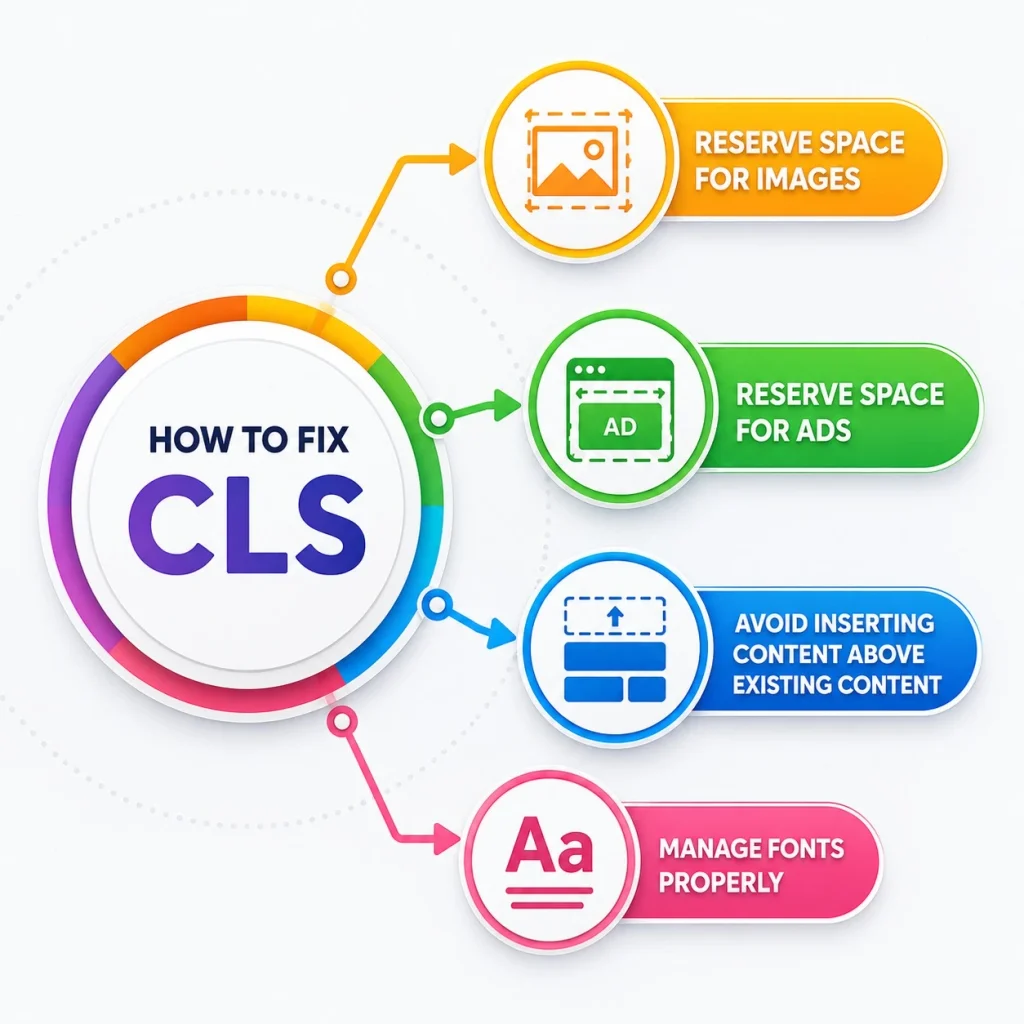
Reserve space for images
Set appropriate dimensions for images so the browser knows how much space they require before they load.
Reserve space for ads
If your website displays advertisements, reserve appropriate space for them instead of allowing them to push existing content around.
Avoid inserting content above existing content
Be careful when dynamically adding banners, notifications or other elements above content users are already viewing.
Manage fonts properly
Font changes can sometimes cause text to resize and shift surrounding content.
Review font loading behaviour and choose appropriate strategies to minimise layout movement.
How to Improve Core Web Vitals: 10 Practical Steps
If you want to improve website performance, do not start by changing everything at once.
Use a structured process.
1. Start with real-user data
Laboratory testing is useful for diagnosing problems, but real-user data tells you how actual visitors experience your pages.
Google Search Console provides a Core Web Vitals report, while PageSpeed Insights can help analyse individual URLs.
2. Identify your worst-performing pages
Start with pages that matter most to the business.
These could include:
- Homepage
- Service pages
- Product pages
- Category pages
- Landing pages
- High-traffic blog posts
- Checkout pages
- Lead-generation pages
3. Optimise mobile performance
Mobile users may have slower connections or less powerful devices.
Test important pages on mobile and prioritise issues that affect real mobile visitors.
4. Optimise images
Review image dimensions, compression, formats and loading behaviour.
Do not send a huge desktop image to a small mobile screen if a smaller version will provide the same experience.
5. Reduce unnecessary JavaScript
Audit JavaScript from:
- Plugins
- Analytics
- Chat tools
- Advertising platforms
- Tracking systems
- Marketing automation tools
- Third-party widgets
Remove or delay scripts that are not essential to the initial experience.
6. Improve caching
Effective caching can reduce repeated processing and resource downloads.
Caching should be configured according to the website’s content, infrastructure and update frequency.
7. Review your hosting
Slow infrastructure can create problems before the browser even begins rendering the page.
Review server response times and hosting capacity, particularly for high-traffic websites.
8. Consider a CDN
A CDN can help distribute static resources closer to users.
This can be especially useful for websites serving visitors across different regions.
9. Review fonts
Large or poorly managed font files can affect loading and visual stability.
Use efficient font loading strategies and avoid loading unnecessary font variations.
10. Monitor performance continuously
Website performance can change after:
- Website redesigns
- Plugin installations
- New tracking tools
- Performance marketing campaigns
- Theme changes
- New functionality
- Code deployments
Performance optimisation should therefore be an ongoing process rather than a one-time project.
Core Web Vitals Optimisation for Different Industries
The importance of each metric can vary depending on the website and its users.
E-commerce
E-commerce websites need to pay close attention to:
- Product image loading
- Product filters
- Search
- Add-to-cart interactions
- Checkout functionality
- Promotional banners
- Product recommendations
A slow product page or unresponsive cart interaction can create friction during the buying journey.
SaaS
SaaS websites often rely heavily on JavaScript.
INP can therefore be particularly important for:
- Dashboards
- Forms
- Menus
- Filters
- Account areas
- Interactive application components
Reducing unnecessary JavaScript can help make these experiences more responsive.
Healthcare
Healthcare websites need to make important information easy to access.
Performance improvements should support:
- Doctor profiles
- Service information
- Appointment forms
- Location information
- Patient resources
Speed should never come at the expense of accessibility, clarity or important information.
Real Estate
Real estate websites frequently use large property images, maps and search filters.
Key priorities include:
- Image optimisation
- Search responsiveness
- Filter performance
- Map loading
- Mobile usability
Travel and Hospitality
Travel websites often depend on:
- Large destination images
- Booking systems
- Maps
- Reviews
- Search tools
- Third-party booking integrations
Reducing unnecessary scripts while maintaining essential booking functionality can improve the user experience.
B2B and Professional Services
B2B websites should prioritise the pages responsible for generating enquiries.
This often includes:
- Service pages
- Industry pages
- Landing pages
- Case studies
- Contact forms
- Lead-generation pages
Performance improvements should make it easier for potential customers to understand the offer and take the next step.
How to Check Core Web Vitals
You do not have to guess whether your website has performance problems.
Several tools can help.
Google Search Console
Search Console provides a Core Web Vitals report that helps website owners identify performance issues affecting groups of URLs.
PageSpeed Insights
PageSpeed Insights can help analyse individual URLs and provide performance diagnostics.
It can also surface real-user data where available.
Lighthouse
Lighthouse provides performance audits and can help developers identify opportunities for improvement.
Chrome DevTools
Developers can use Chrome DevTools to investigate specific performance problems, particularly when diagnosing JavaScript and rendering issues.
The best approach is to combine real-user data with controlled testing rather than relying on a single score.
Core Web Vitals vs PageSpeed Score: Are They the Same?
No.
This is an important distinction.
- A PageSpeed Insights performance score is a broader performance assessment, while Core Web Vitals focus on specific user-experience metrics.
- You can therefore have a page that does not achieve a perfect PageSpeed score but still has good Core Web Vitals.
- Likewise, a page can have an acceptable overall score while still experiencing problems with a particular Core Web Vital.
- For SEO and user experience, focus on identifying the actual problems rather than trying to achieve an arbitrary 100/100 score.
- Google itself advises against focusing exclusively on perfect Core Web Vitals scores for SEO.
Common Core Web Vitals Mistakes to Avoid
Chasing a perfect score
- A perfect technical score is not the goal.
- The goal is a fast, responsive and useful website.
Optimising only the homepage
- Your homepage may not be the page that generates the most organic traffic.
- Analyse product pages, service pages, blog posts and landing pages as well.
Ignoring mobile users
- Desktop performance does not automatically represent mobile performance.
- Review both experiences separately.
Installing too many plugins
- Plugins can add JavaScript, CSS and other resources.
- Review whether every plugin is necessary.
Ignoring third-party tools
- Marketing and analytics tools can affect performance.
- Audit them regularly.
Treating SEO and development separately
- Technical SEO and web development often overlap.
- SEO teams should communicate with developers when performance problems affect important pages.
Are Core Web Vitals Still Important for SEO in 2026?
Yes.
Google’s current documentation continues to recommend good Core Web Vitals and confirms that Core Web Vitals are used by its ranking systems. However, Google also emphasises that there is no single page-experience signal and that strong Core Web Vitals scores do not guarantee top rankings.
This distinction matters.
Businesses should not invest in performance optimisation because they expect a specific ranking increase.
Instead, they should improve performance because faster loading, better responsiveness and visual stability create a better experience for visitors while supporting Google’s broader page-experience goals.
When Should You Hire a Technical SEO or Web Development Expert?
Some performance problems are simple enough to resolve with basic optimisation.
Others require technical investigation.
Consider professional support if:
- Your LCP remains slow despite image optimisation
- INP is consistently poor
- JavaScript is blocking important interactions
- Your website has complex third-party integrations
- Core Web Vitals deteriorated after a redesign
- Your e-commerce checkout is slow
- Your website has thousands of URLs
- Server performance is inconsistent
- You cannot identify the source of performance problems
If your team lacks the in-house bandwidth to diagnose these issues, working with a full-service digital marketing agency in Mumbai can help you audit the website, identify bottlenecks, prioritise fixes and monitor performance after implementation — alongside the broader SEO and content work that keeps those fixes paying off in rankings.
Frequently Asked Questions About Core Web Vitals
- What are Core Web Vitals?
Core Web Vitals are Google’s user-focused metrics for measuring loading performance, responsiveness and visual stability. The current metrics are LCP, INP and CLS. - What are good LCP, INP and CLS scores?
Google recommends an LCP of 2.5 seconds or less, an INP of less than 200 milliseconds, and a CLS score of less than 0.1. - How do I fix LCP issues?
Start by identifying the largest content element and investigate server response time, image size, resource priority, render-blocking resources and unnecessary scripts. - How can I improve my INP?
Reduce long JavaScript tasks, remove unnecessary JavaScript, optimise event handlers, reduce third-party scripts and minimise expensive rendering work. - How do I fix CLS issues?
Reserve space for images and advertisements, avoid inserting content above existing elements and review font-loading behaviour. - Does Core Web Vitals affect Google rankings?
Yes. Google confirms that Core Web Vitals are used by its ranking systems. However, good scores do not guarantee higher rankings because Google’s systems consider multiple signals. - Is Core Web Vitals optimisation important for e-commerce websites?
Yes. E-commerce websites often depend on fast product pages, responsive filters, search, cart interactions and stable layouts. Poor performance can create friction throughout the purchasing journey. - Are Core Web Vitals important for mobile SEO?
Yes. Mobile performance should be monitored carefully because visitors may use different devices and network conditions. Businesses should review mobile and desktop experiences separately. - Is FID still a Core Web Vital?
No. INP replaced FID as the Core Web Vital for responsiveness on March 12, 2024. FID was subsequently removed from Chrome’s performance tooling in September 2024. - Can Core Web Vitals guarantee higher Google rankings?
No. Core Web Vitals are only one part of Google’s broader ranking and page-experience systems. Google specifically states that good Core Web Vitals results do not guarantee top rankings. - How often should Core Web Vitals be monitored?
Monitor them regularly, especially after website redesigns, development releases, plugin changes, new third-party integrations or major marketing campaigns.
Final Thoughts
A high-performing website should do more than load quickly. It should respond when users interact with it and remain visually stable while they browse.
LCP helps businesses understand loading performance. INP measures responsiveness, while CLS measures visual stability. Together, these metrics provide a practical framework for identifying important website experience issues.
The most effective approach is not to chase a perfect score. Instead, focus on the pages that matter most to your users and your business, identify real performance bottlenecks, fix them systematically and continue monitoring the results.
A strong Core Web Vitals SEO strategy should therefore work alongside technical SEO, useful content marketing, mobile usability, accessibility and conversion optimisation.
When these elements work together, your website becomes easier to use, easier to navigate and better positioned to compete in organic search.